
Skip to content

Four stages, and you can stop at any of them.

Refora is an editor with a review step, not a black box with a text field. This page describes what happens between your sentence and the changed model — including the parts that are still judgment calls.

  • 4 stages
  • Select → plan → review → export
  • GLB round trip
Stage 01

Model understanding

An imported model is analysed into named parts. Refora records each part's bounding dimensions, triangle count, material assignment and transform, detects repeated components, and notes which parts appear to meet or support one another.

Honest limitRelationships are observations, not a validated assembly graph. Refora shows you what it inferred so you can correct it before a plan is built on it.

Part graph
names, transforms, parents, repeated instances
Measurements
bounding box, wall thickness, key spans
Materials
assigned preset per part, shared or unique
Relationships
contacts and adjacency, reported as observations
Stage 02

Request and scope

A request is resolved against a scope you set: one part, a repeated group such as paired jaw inserts, or the whole model. A reference image can be attached with the qualities that should guide the change — silhouette, proportion, construction, material or colour.

Honest limitA reference guides qualities. Refora does not claim to reproduce a reference image exactly, and the plan says which qualities it read from it.

Scope
explicit part selection, never inferred silently
Reference
guidance on named qualities, not reconstruction
Constraints
dimensions you mark as fixed travel with the request
Conversation
prior turns stay attached to the project
Stage 03

Planning

Before geometry moves, Refora produces a plan. It separates measured operations — ones with numbers behind them — from interpretive ones, lists what is intended to remain unchanged, and raises only the decisions that materially change the result.

Honest limitPreservation is currently stated as intent. Numerical validation of preserved values is in testing; until it ships this page will not claim verification.

Changed
each operation with its before and after value
Preserved
the dimensions and relationships held constant
Decisions
genuine forks, asked once, in plain language
Cost
the operations that will run, before they run
Stage 04

Execution, comparison and versions

Approved operations run against the selected parts. The result lands in the viewport at the same camera position as the previous version so a comparison is honest. Every applied plan creates a version you can inspect, undo and export.

Honest limitGeometry generation is not instant. A complex reshape can take minutes; the job state is visible while it runs.

Apply
operations run on the scoped parts only
Compare
before/after at a fixed camera
History
versions with the request that produced them
Export
GLB with geometry, part names and materials
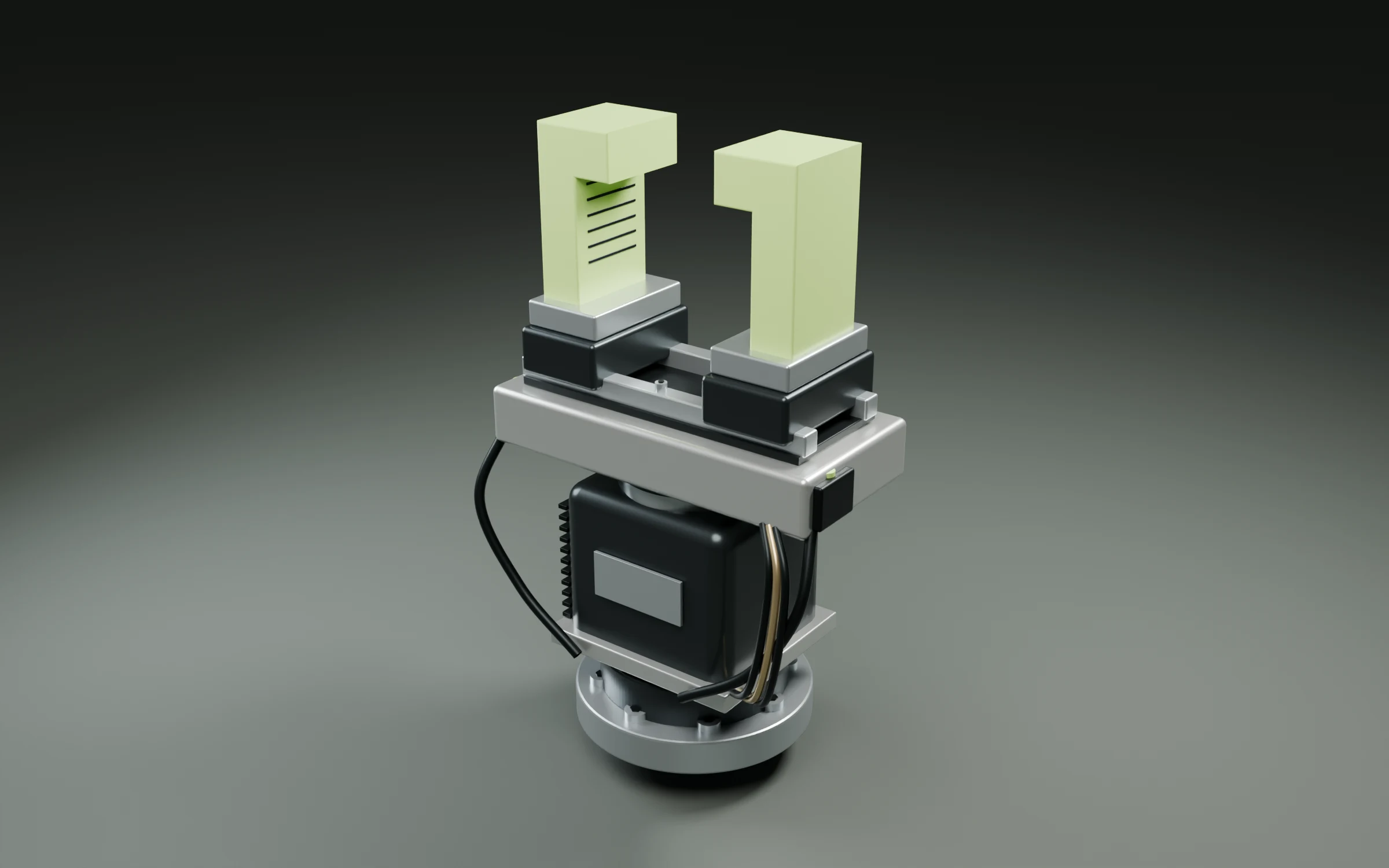
R / Precision robotic end effector
CONCEPT DEMONSTRATION
Precision robotic end effector, assembled view
ASSEMBLY / GRIPPERSOURCE
SELECTED COMPONENTJaw insertsFull-scale assembly study

Control

You see the plan before the model changes.

AI product pages tend to go vague exactly where you want confidence. This is the part of Refora we would rather over-explain.

Plan · end-effector-01NOT YET APPLIED

Changed

  • jaw.reach78 → 96 mm
  • jaw.scopepaired inserts
  • support.positionx +55 → 0 mm

Intended to remain unchanged

  • carriage.width172 mm
  • jaw.mounts4 fasteners, carriage
  • seat.height415 mm
  • footprint460 × 440 mm

Needs your decision

  • jaw.inner_edgeconfirm edge treatment?
Apply planEdit scope
  • Scope

    See exactly which parts a request will affect before it runs — one part, a repeated group, or the whole model.

  • Preservation

    Review the dimensions, positions and relationships intended to remain unchanged, listed as numbers rather than promises.

  • History

    Return to earlier versions and inspect what each operation changed, with the conversation that produced it attached.

  • Export

    Take the current model back into the rest of your 3D workflow with part names and materials intact.

Preservation is currently stated as intent. When numerical validation ships, this page will say Refora verifies the dimensions and relationships you marked as fixed — and not before. Read the product limitations.

What Refora does not do

  • Replace Blender, Maya, Cinema 4D, Rhino or your CAD package. Use Refora for the revision loop and keep the rest of your pipeline.
  • Reproduce a reference image exactly. References guide named qualities.
  • Guarantee manufacturing tolerances. There is no formal tolerance validation yet.
  • Finish a complex reshape in one click. A plan, choices and several operations are involved, and geometry work can take minutes.

The complete list lives on the product limitations page.

Let’s talk about your sector

What would
you license?

Bring the model, the part you need to change, and the context that matters. Apply for professional early access to Refora.